
VuSpex, the platform behind every inspection
We do not run inspections over a consumer video app. We run them on purpose-built virtual inspection software, and it is worth two minutes to understand why.
Why VuSpex
VuSpex is virtual inspection software built for the people whose job depends on inspections holding up: government building departments. It is in use by agencies from the State of Montana to the City of Philadelphia, and the legislative materials behind California's AB 1738 remote inspection bill cite it as a leading platform.
That pedigree matters for a simple reason. A video call proves you talked. A VuSpex inspection proves what was examined: every photo and clip is timestamped and stored with the inspection record.
Building Code Guru is an authorized VuSpex reseller, and Inspex Gurus is the service we deliver on it. We chose the platform building departments already trust, so the inspection you get is run the way they run their own.
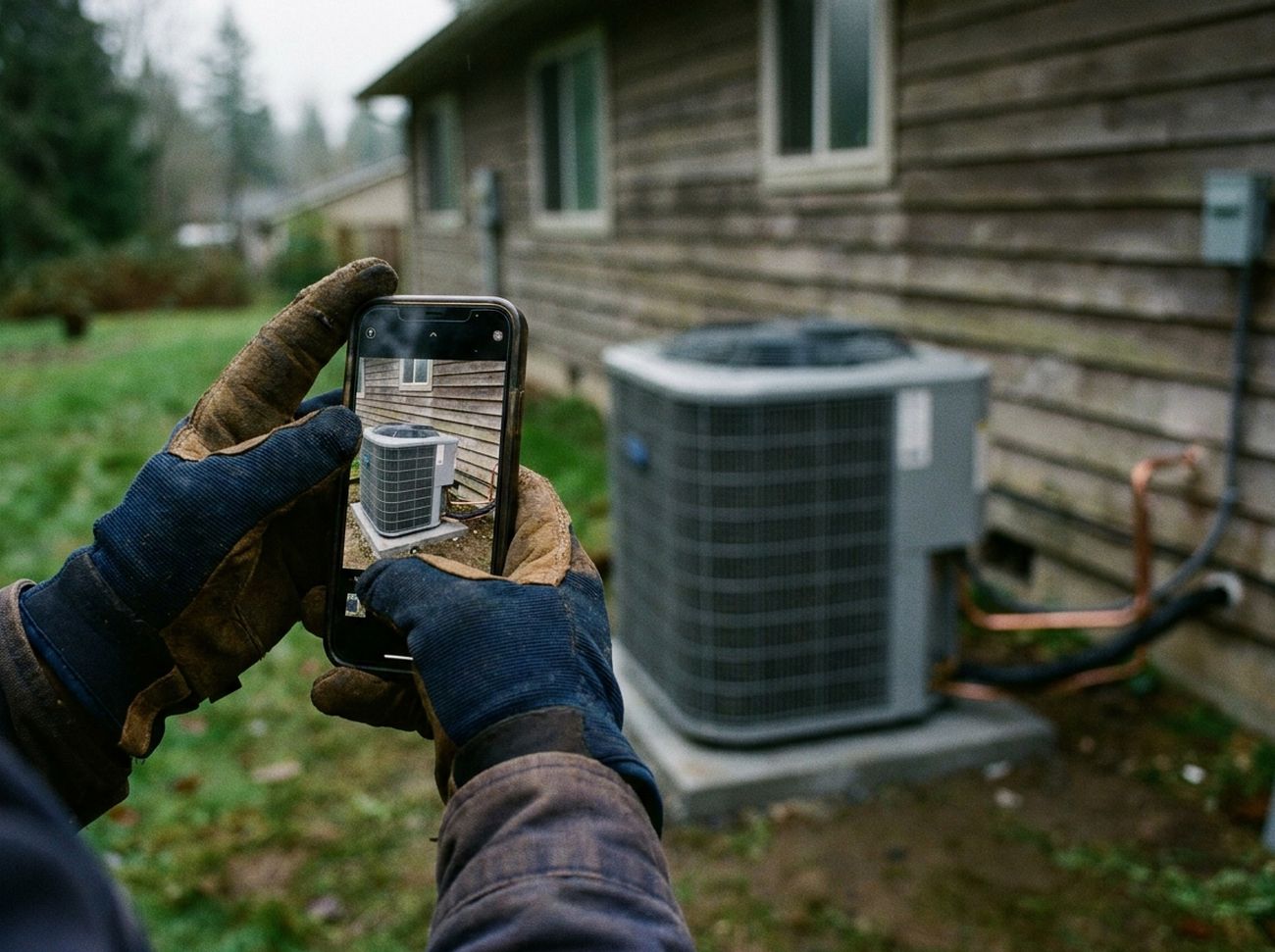
Live, from your side of the camera
The invite arrives by text
Your inspector sends it near the scheduled time. That link is the whole setup. You do not start the session, and there is nothing to arrange in advance.
It runs in your browser
No app store, no download, no account, no password. Tap, allow camera, microphone and location, and you are in. Those permissions are temporary and end when the call ends.
Your inspector drives it
They see what your camera sees, zoom, switch on your flashlight, and capture photos and clips using a control on their own side. Nothing is written to your device, and they cannot see or copy anything else on it.
Built for a bad signal
On a poor connection the session switches to still capture: you send photos while you talk on an ordinary voice call. Five minutes of video costs around 12 to 20 MB.
Offline, when there is no call
One app, installed once
VuSpex GO, on iOS or Android. This is the only part of the service that needs an install, and it is only needed for offline reports.
The app is the camera
Capture inside the app so every photo and video carries verified GPS from the site itself. Files imported from your normal camera roll do not carry it. Up to 15 photos and 10 videos, 15 seconds each.
Saving locks it
Media, comment, agency, permit, inspection type, then save. A saved report cannot be edited afterwards. That is what makes it evidence rather than a folder of photos.
Send when you can
Capture needs no connectivity at all. Upload when you are back on wifi or a signal. Your inspector reviews the report and issues the result.
The questions everyone asks first
Is the whole session recorded?
No, and that is deliberate. The platform does not record the call end to end. Your inspector captures segments: photos and short clips of the work at the moment they examine it. Each capture is timestamped and stored with your inspection record, and together they document what was approved and what needs correction. An offline report works the same way: the media your site representative captured is the record. It is not surveillance, it is the evidence that makes the report defensible if anyone questions it later.
Who sees the captures?
They live in your inspection file, and they back the report you receive. Your inspector can invite other people onto a live call to witness it, but only people you or they add. It is inspection evidence, handled the way inspection records are handled, not content published anywhere.
What happens if my signal drops?
VuSpex holds patents on low-bandwidth and offline inspection technology. On a weak connection a live session switches to still capture over a voice call. Where there is no signal at all, the work is captured offline in the app and uploads when the connection returns. A dropped bar does not mean a failed inspection.
Do I need to install anything?
For a live inspection, no. It runs in your phone's browser on any reasonably recent smartphone: no app store friction, nothing to update, nothing to uninstall. For an offline field report, yes: the VuSpex GO app, once. It has to be the app, because that is what stamps each photo and video with verified GPS from the site.
How does the platform know the photos were taken on site?
Media captured inside the app carries GPS verification tied to where it was taken. That is why an offline report has to be captured in the app rather than photographed on your normal camera and imported afterwards. Imported files do not carry it, and they are not accepted.
Remote inspection is moving into the mainstream
This is not a novelty we are asking you to gamble on. Building departments across the US already run virtual inspections daily, and legislatures are catching up.
ICC Recommended Practices
The International Code Council published Recommended Practices for Remote Virtual Inspections in 2020, carried as Resource A in the 2021 International Building Code and Fire Code. It sets out who may run a remote inspection, when an authority may use an approved third party agency, and when an inspector should stop and require an in-person visit.
2026 solar law
Enacted in 2026: local governments must complete residential solar permitting inspections, remote or in person, within an average of five business days. The clock favors the camera.
AB 1738, still a bill
Passed by both houses of the California legislature in August 2026 and presented to the Governor on August 28. It is not law unless it is signed. If it is, qualifying cities and counties would have to offer remote inspections by July 1, 2028, for a defined list of works on one and two family homes: heat pump water heaters, heat pump HVAC, reroofs, solar under 15 kW, and smoke and carbon monoxide alarms. Smaller jurisdictions are exempt.
The legitimacy question is settled: code bodies have published the standards, agencies from the State of Montana to the City of Philadelphia run remote inspections today, and lawmakers are writing them into policy. What is left is doing it well.

See it from your side of the camera
Ask for a demo. The first two minutes explain more than this page can.
Request a demoOr email inspexgurus@